Sangli Business Directory1.2.2
Publisher Description

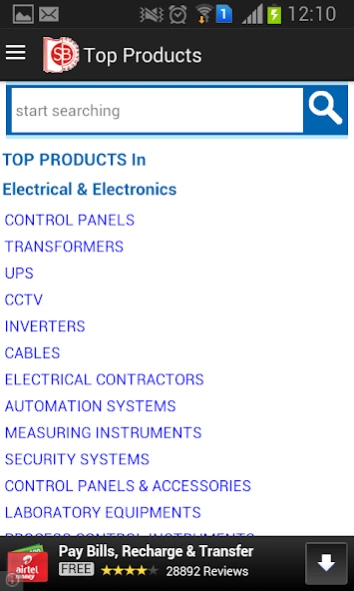
Sangli Business Directory is an Online Business Directory and B2B Manufacturers
Samgli Business Directory is an Online Business Directory and B2B Online Manufacturers and Suppliers guide for Sangli area. An Yellow Pages for Manufacturers,Suppliers,Exporters put inside an Android App..
Total 10 Sections are covered in this app:
*Mechanical Engineering
*Machinery
*Metallurgical
*Electrical, Electronics
*Chemicals & Scientific Glass
*Packaging and Timber
*Services Industries
With this app you can:
-View Listings of Companies Category wise.
-Search for a Company,Product Listing.
-Post Your Requirement and see Buy Offers.
-Send us your Requirement / Enquiry
-Visit company's website directly from the listing.
-Call directly to Manufacturer,Supplier.
Visit http://sanglibusiness.com for our main Sangli online business directory:
Also Visit Maharashtra Industries Directory App for entire state directory:
http://goo.gl/Kcbh5K
And Visit Gujarat Industries Directory App for entire state directory:
http://goo.gl/hmevrC
Visit Our Industrial Exhibition App- Mahatech
http://goo.gl/ZYwYhB
About Sangli Business Directory
The company that develops Sangli Business Directory is Marathe Infotech. The latest version released by its developer is 1.2.2. This app was rated by 2 users of our site and has an average rating of 4.0.
To install Sangli Business Directory on your Android device, just click the green Continue To App button above to start the installation process. The app is listed on our website since 2019-02-15 and was downloaded 51 times. We have already checked if the download link is safe, however for your own protection we recommend that you scan the downloaded app with your antivirus. Your antivirus may detect the Sangli Business Directory as malware as malware if the download link to mipl.sbd is broken.
How to install Sangli Business Directory on your Android device:
- Click on the Continue To App button on our website. This will redirect you to Google Play.
- Once the Sangli Business Directory is shown in the Google Play listing of your Android device, you can start its download and installation. Tap on the Install button located below the search bar and to the right of the app icon.
- A pop-up window with the permissions required by Sangli Business Directory will be shown. Click on Accept to continue the process.
- Sangli Business Directory will be downloaded onto your device, displaying a progress. Once the download completes, the installation will start and you'll get a notification after the installation is finished.
Program Details
System requirements
Download information
Pricing
Version History
version 1.2.2
posted on 2019-02-15
Bug Fixing
